
Create a permanent Pilot Page & QR code
Unlike a flight-specific QR code, this QR code is permanent and linked directly to you as an operator.
When scanned, it opens a pilot profile page on Drone-Check, showing all your active and upcoming flights, along with relevant information for bystanders.
Perfect for attaching to your case, equipment bag, briefing document and the flight area of your drone operation.
You can also share the direct link instead of — or alongside — the QR code: use it in e-mail signatures, on your website, or anywhere you want people to find your active flights instantly.
All information shown on the Pilot page follows the privacy settings you configure per flight. If you choose to fly anonymously, your name, contact details and operator ID will not be displayed. Only the flight itself is visible: its location, timing and category. You decide what is shared.
BELb8mc3153ixuh6
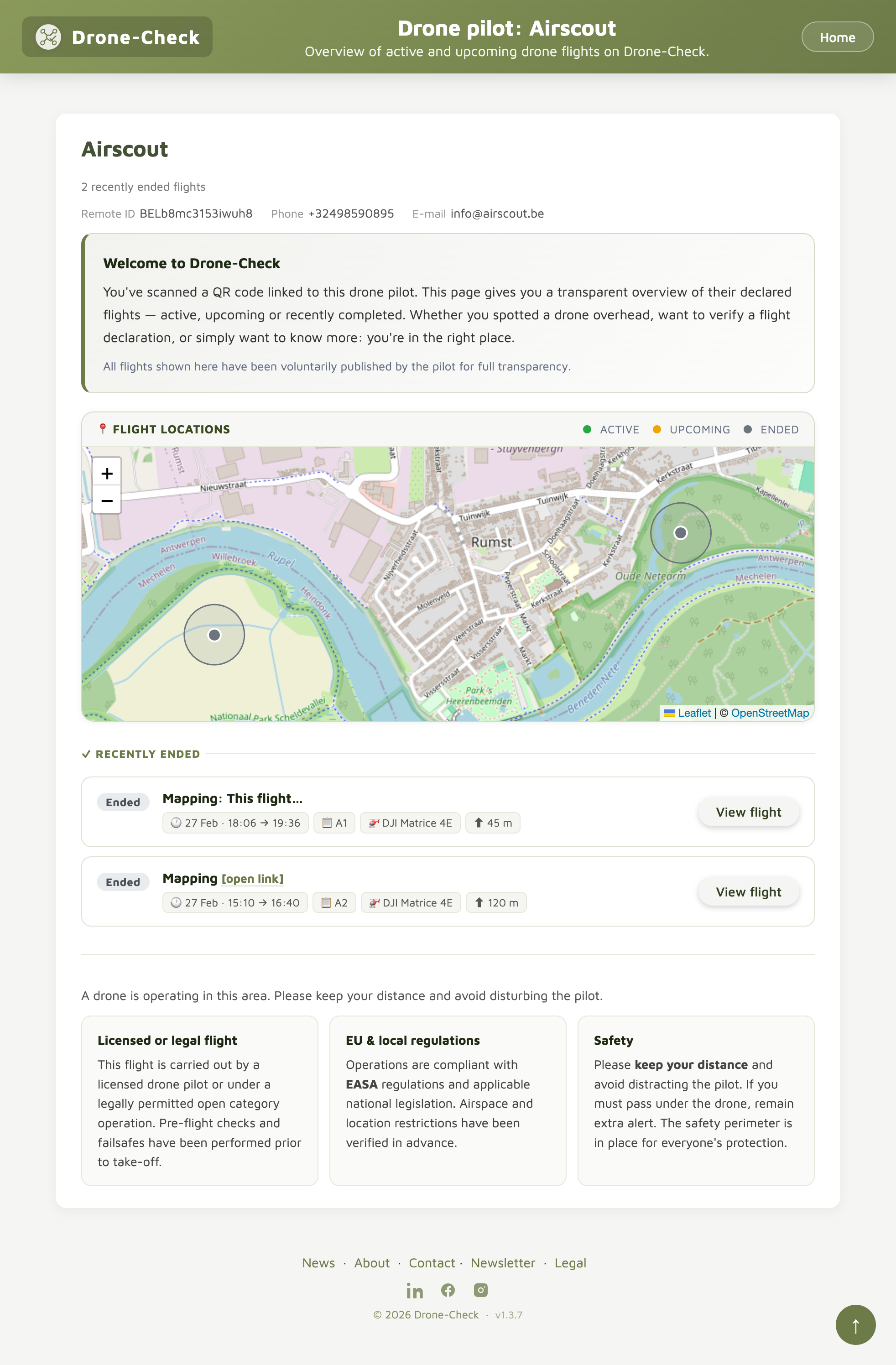 🔍 Click to enlarge — example of what bystanders see after scanning